

Nel tutorial che andremo a vedere viene descritto il processo per illustrare la Regina Cattiva di Biancaneve con tecniche pittoriche digitali in Photoshop. Una lezione che richiede una certa manualità e conoscenza del programma.
Related Posts
10
Aug2014
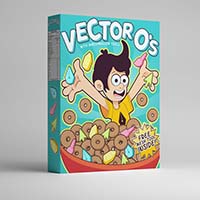
Vector Themed Cereal Box in Adobe Illustrator
The most important meal of the day is Adobe Illustrator. I’m pretty sure breakfast comes second. As such, we’re going to combine the two and pay homage to the cereal…
19
Nov2012
Create an Aged Vintage Style Logo Design in Illustrator
Step by step tutorial in Illustrator to create an ancient style logo design. We are taking inspiration from past generations, when logos have been made by hand with personalized writing.…
06
Jul2013
Create a Personal Toolkit for Maps in Illustrator
Non c’è bisogno di reinventare i simboli ogni volta che si disegna una mappa. Con Illustrator, è possibile impostare il proprio pannello dei simboli ricco di stili, segnali e altri…
25
Jul2013
Create an Angelic Sculpture Ice in Photoshop
A volte tutto ciò che serve per creare una manipolazione fotografica incredibile in Photoshop è uno schizzo, un po’ di belle immagini e qualche conoscenza su utilizzare gli strumenti di…
01
Nov2013
Make Cool Halloween Pumpkins in Cinema 4D
In this video tutorial we will be able to learn how to make cute Halloween pumpkins in CINEMA 4D R14, using the sculpting tool, and other techniques.
06
Mar2013
Sculpt a Head using ZBrush 4 R2 – Tutorial
In this video tutorial of over an hour we will see a lesson that shows in great detail the modeling of a human head in Pxicologix ZBrush 4R2, starting from…





