

Con forme semplici, sfumature e texture vettoriali il tutorial che vedremo vi mostrerà come creare una clessidra. Verrà usata la versione CS4 di Illustrator, ma quelli di voi che hanno una versione precedente dovrebbero essere in grado di eseguire comunque l’esercizio.
Related Posts
28
Oct2014

Create a Geometric Pattern With a Hexagon in Illustrator
This Illustrator video tutorial shows you how to make a pattern with hexagons to create a sophisticated background. A graphic element that is useful on many occasions for our works.…
21
Feb2014

Create Professional Pseudo Vector Flyer in Photoshop
Nel tutorial che andremo a seguire viene mostrato come progettare un volantino professionale pseudo vettoriale utilizzando solo strumenti di Photoshop. Una bella composizione che potrete sfruttare in diversi lavori. Link…
10
Nov2014

Sculpting a Realistic Fist in ZBrush – Tutorial
This step by step video tutorial shows you how to sculpt a very realistic punch inside ZBrush. Zbrush is indeed a very powerful program and the results depend on the…
26
Oct2012
Abstract Collage Photoshop Tutorial
In this Adobe Photoshop tutorial we are using some techniques of artistic re-production stuff to make amazing collages using some elements mixing them together to learn how to create beautiful…
30
Sep2014

Baseball-Inspired Text Effect in Adobe Illustrator
Il tutorial che vedremo vi insegnerà come creare un effetto di testo ispirato al baseball. Potrai iniziare preparando il testo, poi con l’aiuto degli effetti Bassorilievo e l’effetto Bagliore interno…
19
Dec2015
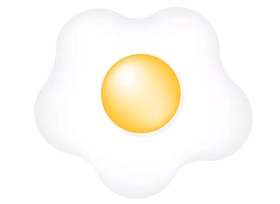
Draw Fried Egg using Adobe Illustrator
This video tutorial shows you how to draw a fried egg using Adobe Illustrator. A simple lesson suitable even for those who are beginners with the vector.










