

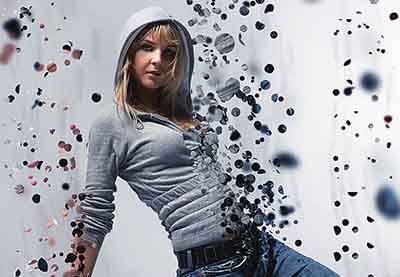
Nel tutorial di Adobe Photoshop che andremo a visitare imparerete come creare un effetto sorprendente di dispersione. Prima si creano i diversi modelli che useremo per realizzare le parti disperse. Ci sarà quindi da definire quali aree della nostra foto vogliamo ‘disperdere’ e creare le parti.
Related Posts
15
Jun2013
Create a Magical Image using Photoshop
The tutorial we’re going to see shows the average Photoshop user how to build an impressive image using a few techniques for photo manipulation. The result is truly remarkable and…
07
May2013
Creating a Vintage Layout in Adobe Illustrator
The vintage style of a lettering is a classic and remains popular to this day. Let’s take a look at this lesson to create a very attractive layout in Adobe…
03
May2017

Simulate a Computer Screen in After Effects
In this interesting video tutorial we will see a lesson that will teach us how to simulate a computer screen within the Adobe After Effects video editing program. An excellent…
19
Sep2014
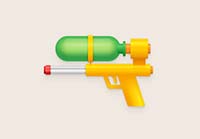
Create a Water Pistol Illustration in Adobe Illustrator
Nei passi del tutorial che seguiremo imparerete come creare una dettagliata illustrazione di una pistola ad acqua in Adobe Illustrator. Per cominciare potrete imparare come impostare una semplice griglia e…
11
Apr2015

Create a Spring Banner in Adobe Illustrator
Nel tutorial che andremo a seguire viene mostrato come creare facilmente un banner primaverile utilizzando Adobe Illustrator. Vedremo come disegnare uccellini su di un arco e rami floreali con forme…
11
Nov2014

Create a Blue Planet with Adobe Illustrator – Tutorial
In the tutorial that we will see we will explore an interesting technique of creating a texture of hexagons to make objects of any shape, in this exercise we will…
