

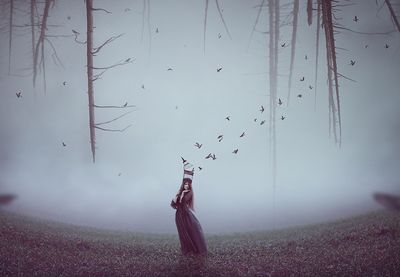
Nel tutorial di Adobe Photoshop che visiteremo viene mostrato come creare una scena emotiva surreale caratterizzata da una donna che porta una gabbia da cui si liberano uccelli. Per prima cosa si realizzerà lo sfondo utilizzando immagini di cielo e erba. Poi si aggiungeranno il personaggio, la gabbia, gli alberi e uccelli e si fonderanno insieme con i livelli di regolazione, il mascheramento e le spazzole. Si utilizzeranno diversi livelli di regolazione per completare l’effetto finale.
Related Posts
04
Sep2013
Create a Metal Coin in Photoshop – Tutorial
Scopri come creare una moneta metallica in Photoshop utilizzando alcuni fondamentali stili di livello . Per l’immagine centrale della moneta verranno usati i filtri effetto rilievo che consentono di aggiungere…
01
Jul2014

Create an Easy Cooking Card in Adobe Illustrator
Nel tutorial che andremo a vedere impareremo a creare una illustrazione di cibo che può essere utilizzato come copertura per libro di cucina o scheda di ricetta, in Adobe Illustrator.…
03
Apr2013
Using Texture Manipulation in Photoshop
A video from Youtube that deals with the manipulation of textures in Adobe Photoshop, a very interesting lesson to get pictorial effects on the images really worthy of the great…
16
Mar2017
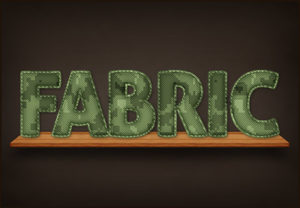
Create a Mimetic Fabric Text Effect in Photoshop
In the tutorial we are going to visit is shown how to create a camouflage effect of text in “camouflage” fabric in Adobe Photoshop. You will learn how to use…
24
Nov2014
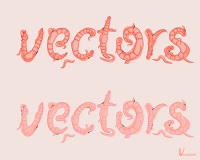
Make a Curvy Worms Text Effect in Illustrator – Tutorial
In the following tutorial you will learn how to create a text effect of worms in Adobe Illustrator. You can apply these techniques to various themes after working through this…
03
May2013
Create Metal Chair in Adobe Illustrator
Adobe Illustrator CS6 has a new feature called Gradient on Strokes. It’s the first time since the creation of Adobe Illustrator we have the opportunity to apply the gradient on…
