


The growing popularity of sushi has led to the spread of this dish all over the world. Nowadays, there are so many variations and fillings that we can all find something to our taste. In the tutorial that we will see we will learn to create our ‘scrolls’ in a set of colored icons with Adobe Illustrator.
Related Posts
28
Mar2016

Use the Gradient Tool in Adobe Photoshop
Our world is a realm of changing shades and hues. Perfect solid colors are rare at best. To make your illustrations realistic in Photoshop you will have to get used…
04
Feb2014

Create Displaced Text Effect in Photoshop
Nell’esercizio di Photoshop che andremo a vedere viene mostrato un modo creativo per spostare il testo e ottenere un effetto interessante su di esso. Un tutorial molto semplice ma accattivante.…
26
Jan2014
Folding Texts Within After Effects – Tutorial
This video tutorial shows how you can bend text in After Effects to any angle you want. This exercise is very original and suitable for learning some secrets to create…
13
Aug2014
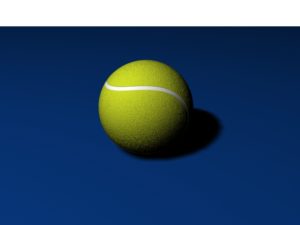
Tennis Ball 3D Free Object download
A tennis ball is a ball designed for the sport of tennis, approximately 6.7 cm (2.63 in.) in diameter. Tennis balls are yellow at major sporting events, but in recreational…
23
Sep2013
Create a Puzzle with New Tool in Illustrator CS5
What we’re going to see is a tutorial that explains what’s new in the CS5 version of Illustrator, in particular the new Create Shapes tool. This tool has similar properties…
18
Jan2023

Simple Cupcake Draw Free Vector download
On this page you will find another free graphic element. This is a Simple Cupcake Vector that you can use on your graphic projects. The compressed file is in zip…










