

In the tutorial we are going to visit is shown how to draw a cute rabbit using simple shapes and shades that are easy to apply to character illustrations. The great thing about this tutorial is that you don’t need to be an extraordinary artist to create it. An easy lesson to follow for users who have a good knowledge of the program.
Related Posts
28
Oct2014

Create an Adhesive Bandage Using Effects in Illustrator
This video tutorial shows how to create the vector illustration of an adhesive plaster with the help of multiple effects in Adobe Illustrator. A very interesting lesson in getting a…
15
Oct2014

Make a Cute Pig Face Icon in Adobe Illustrator
Quello che andremo a vedere è un bel tutorial in Illustrator che mostra come creare una simpatica faccia di maialino in grafica vettoriale da poter utilizzare come icona. Si tratta…
14
Jul2014
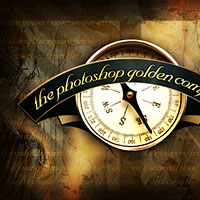
Creating a Stunning Old-World Look in Photoshop
Nel tutorial che andremo a vedere verrà creata una sorta di composizione ‘vecchio mondo’ con una bussola e facendo uso di alcuni elementi di grafica vettoriale impressionanti. Si tratta di…
11
Mar2014
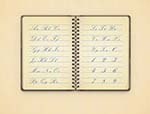
Create a Vintage Notebook in Adobe Illustrator
Nei passi della lezione che vedremo si può imparare come creare una illustrazione d’epoca di un diaria in Adobe Illustrator. Utilizzando una serie di effetti insieme ad alcune tecniche di…
23
Jun2013
Create Warped Text In Photoshop – Tutorial
In this kind of Photoshop tutorial we will see the built-in Warp Text feature with its options and how it makes it easy to twist, stretch and distort text into…
29
Mar2015
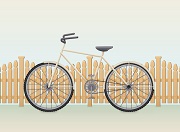
Create a Retro Bike Scene in Adobe Illustrator
Nei passi del tutorial che andremo a vedere imparerete come creare una bici e una recinzione retrò in Adobe Illustrator. Preparatevi a trascorrere diverse ore per imparare le basi delle…










