


Nei passi del tutorial che andremo a vedere imparerete come creare un’icona di un cursore 3D in Adobe Illustrator. Per cominciare imparerete come impostare una semplice griglia e come creare la vostra forma principale con gli strumenti di base insieme con la funzione Aggancia alla griglia. Poi, daremo la sensazione del 3D utilizzando l’effetto 3D Estrusione e smusso.
Related Posts
14
Oct2013
Create a Piped Frosting Text Effect in Illustrator
Nel tutorial che andremo a vedere imparerete a creare un effetto di testo ‘glassato’ in Illustrator. Utilizzando la sfumatura, Pathfinder e strumenti Blur si farà un effetto di testo che…
04
May2016
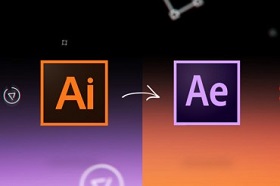
Animate Line Icons/Paths in Illustrator and After Effects
This video tutorial shows you how to animate line or path icons created in Illustrator and ported to After Effects. To create impressive animations. You can also use this technique…
01
Sep2013
Create a Climbing Rope Pattern Brush in Illustrator
A simple line-path can be transformed into a powerful pattern brush in Illustrator. The virtual climbing rope we’re going to create in this lesson may not save your life, but…
30
Apr2013
Create a Tube of Paint and a Brush in Illustrator
A tutorial for creating a color tube and brush in Illustrator. In this tutorial, you will learn how to create objects with shadows and penumbras using the Blend tool. These…
23
May2013
Create a Cute Twitter Bird Icon in Photoshop
Social networks are now widely used in daily life, the tutorial we are going to see describes the process to create a very nice and personalized icon of one of…
16
Nov2016

Create a Film Noir Title in Photoshop and Illustrator
Nel tutorial che andremo a visitare vedremo come realizzare la schermata dei titoli dei Film noir, associati al mistero e ai drammi della criminalità prodotti nel 1940, caratterizzati dall’alto contrasto,…
