


Nel Tutorial che andremo a vedere viene mostrato come realizzare l’illustrazione di una bellissima auto vettoriale in Adobe Illustrator. Come al solito la base di partenze è una foto che verrà ricalcata e arricchita di particolari con effetti e sfumature. Il risultato è garantito!
Related Posts
24
Nov2013
Create Text on the Wet Sweaty Window in Photoshop
Il tutorial che andremo a vedere spiega come utilizzare un paio di immagini, un filtro di sfocatura, e un semplice pennello per creare un effetto realistico di una scritta su…
05
Nov2012
Creating Friendly Green Type Treatment in Illustrator
In the Adobe Illustrator tutorial that we are going to visit, we show you how to create a writing with ecological-green graphic elements, a very nice composition to be used…
01
May2023

Easily Create a Glass Text Effect in Adobe Photoshop
This video tutorial shows you how to easily create a glass text effect in Adobe Photoshop. A transparent writing with modern and current graphics. An effect that can also be…
17
Dec2014

Orbit Camera Preset in Cinema 4D – Tutorial
L’impostazione Orbit preset della telecamera permette di creare rapidamente e facilmente alcune belle e fluide animazioni intorno agli oggetti all’interno di Cinema 4D. Un esercizio che può far risparmiare molto…
11
Nov2012
3D Text Simple Rendering in 3ds Max
In this tutorial we will create and render 3D edited text without using any plugins. You can use any type of geometry with this simple rendering technique and get good…
18
Sep2018
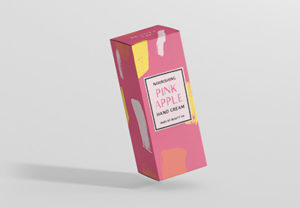
Create a Simple Packaging Box Design in Illustrator
In the tutorial that we will follow we will see how using Adobe Illustrator and Adobe InDesign you can create a model for a simple rectangular box suitable for cosmetics…
