

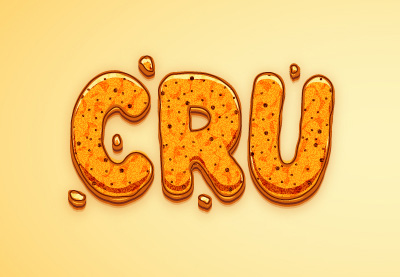
Nei passaggi del tutorial che andremo a seguire impareremo come disegnare un effetto di testo crunchy modificabile in Adobe Illustrator. Vedremo come creare il pattern partendo da un pattern incorporato. Successivamente, utilizzando una semplice parte di testo e il pannello Aspetto, vedremo come creare l’effetto di testo. Aggiungeremo le minuscole briciole attorno al testo, vedremo come salvare e usare facilmente gli stili grafici.
Related Posts
21
Apr2013
Create Neon Sign Text Flicker in Blender
A video tutorial in Blender that shows us how to create a neon writing that lights up intermittently. The object that is used as neon is a text whose profile…
31
Aug2013
Creating Plasma Fireball effect in After Effects
This video tutorial shows you how to create a modern plasma Fireball effect with the help of Red Giant and After Effects. It is a beautiful composition that always has…
02
Feb2018
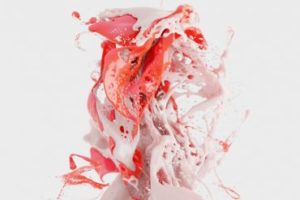
Creating a Paint Splash Effect in Blender
In this beautiful video tutorial we will take a look at a lesson that shows a technique to easily create a splash paint effect in Blender using Particles, Force Fields…
01
Feb2016

Make a Coffee Tea Logo Design in Adobe Illustrator
In this video tutorial we will learn how to make a vector logo for a Coffee or Tea Shop restaurant business with Adobe Illustrator. A simple and well illustrated exercise…
18
Sep2014
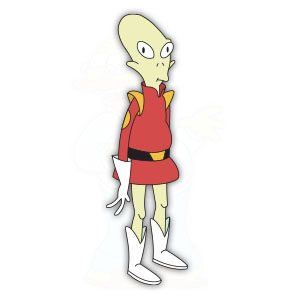
Kif Kroker (Futurama) Free Vector download
Lieutenant Kif Kroker (born November 17, 2974) is a recurring character on Futurama. He is an undisclosed Amphibiosan alien of light green color from the planеt Amphibios 9. He is…
22
Sep2018
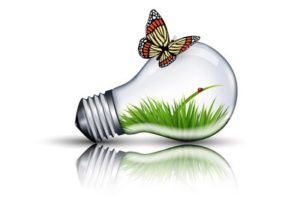
Draw an Eco Bulb and Butterfly in Adobe Illustrator
In the beautiful tutorial that we will follow we will learn how to best use the Mesh Tool in Adobe Illustrator to create a light bulb with some ecological elements…










