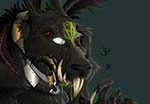
Ottobre è il mese in cui ci si prepara per Halloween, e quasi tutti i tutorial di grafica hanno come soggetto mostri e personaggi più o meno terrificanti. L’esercizio che andremo a vedere mostra come creare un coniglio ‘terrificante’ in Adobe Illustrator.
Related Posts
03
Nov2022

Simple Island Palm Tree Free Vector download
On this page you will find another free graphic element. This is a Simple Island Palm Tree Vector that you can use on your graphic projects. The compressed file is…
15
Nov2012

Poly Model a Flying Wing Airplane in 3ds Max
This Autodesk 3ds Max tutorial shows how to model a jet plane using the technique in Editable Poly mode. The exercise shows how to get a complex shape by modifying…
16
Mar2015

Create a Saturn Infographic With Blender and Inkscape
Nel tutorial che andremo a vedere viene mostrato come creare una “fotorealistica” illustrazione infografica di Saturno con Blender e Inkscape. Il software di grafica 3D Blender open source servirà per…
11
Oct2016

Draw Cake Logo Design in Adobe Illustrator
In this video tutorial we will see how to draw a simple logo with a sweet icon theme using the Adobe Illustrator vector graphics program. A very detailed and simple…
14
May2017

Draw a Vector Egg Illustration in Illustrator
In this interesting video tutorial we will see how to illustrate a vector egg in the classic way called bull’s eye using the Adobe Illustrator graphics program. An excellent, very…
04
Mar2013
Create a Spattered Photomontage in Photoshop
In the tutorial that we will follow we will learn how to make a very youthful and appealing photo montage using paint splashes in Adobe Photoshop, we will use brushes…