

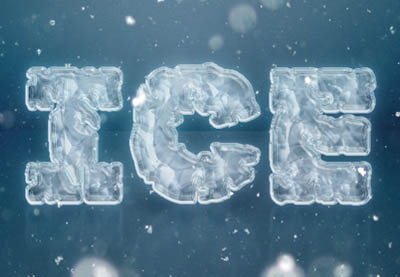
Nel tutorial che andremo a vedere viene mostrato come utilizzare gli stili di livello, con forme semplici e texture, per creare un semplice effetto di testo di ghiaccio utilizzando Adobe Photoshop. Una lezione molto dettagliata e facile da seguire che ci guiderà fino al risultato finale.
Related Posts
01
Sep2013
Create a Gummy Text Effect in Illustrator
Nel tutorial che vedremo impareremo a creare un effetto di testo gommoso in Illustrator. Perfetto per i disegni illustrativi, si creerà un effetto lettering carino e divertente con la funzione…
15
Apr2013
Create an “Iron Hero” Text Effect in Adobe Photoshop
The tutorial in Adobe Photoshop that we will follow shows us how to create a text using the style of the superhero of Marvel Iron Man. The lesson uses a…
15
Feb2013
Moving Text Along a Path in After Effects
A video tutorial that explains how to create a text in After Effects and make it move along a path, a very useful lesson to make flying writings on defined…
07
Mar2013
Adding Gradients to Text in Adobe Illustrator
I’m sure a lot of you have seen this technique before or are already aware of how to add shades to the text in Adobe Illustrator, but it’s worth remembering…
17
Sep2016
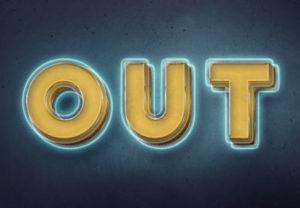
Create a 3D Glowing Retro Text in Photoshop
Nel tutorial che andremo a visitare viene mostrato come utilizzare gli oggetti intelligenti (Smart Objects) e gli stili di livello di Adobe Photoshop per creare un effetto di testo incandescente…
04
Jul2018
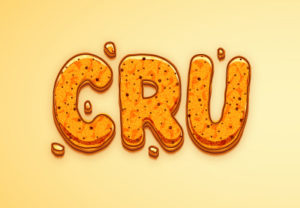
Draw a Crunchy Cartoon Text Effect in Adobe Illustrator
Nei passaggi del tutorial che andremo a seguire impareremo come disegnare un effetto di testo crunchy modificabile in Adobe Illustrator. Vedremo come creare il pattern partendo da un pattern incorporato.…










