


Nel tutorial che andremo a visitare viene mostrato come utilizzare gli oggetti intelligenti (Smart Objects) e gli stili di livello di Adobe Photoshop per creare un effetto di testo incandescente 3D in stile retrò. Una bella lezione molto dettagliata e facile da seguire.
Related Posts
19
Jun2013
Create a Realistic Panoramic in Photoshop
Nel tutorial che vedremo viene mostrato come trasformare una singola fotografia in una scena panoramica realistica con Photoshop. Queste sono immagini comunemente utilizzati nell’industria cinematografica per creare l’illusione di un…
26
Apr2015
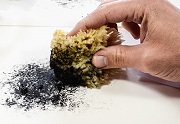
Create Custom Dirt and Decay Brushes in Photoshop
Il mondo reale è sporco. Davvero sporco. Guarda abbastanza da vicino quasi tutta la superficie che ci circonda, e troverete un certo grado di sporcizia, decadimento e usura dovuta ad…
09
Oct2013
Create Notebook Paper Text in Photoshop
Nel tutorial di Photoshop che vedremo verranno creati effetti di testo unici utilizzando per esempio, il proprio nome. L’ispirazione viene da un blocco note stile tessuto un oggetto davvero molto…
15
Jun2013
Create a Magical Image using Photoshop
The tutorial we’re going to see shows the average Photoshop user how to build an impressive image using a few techniques for photo manipulation. The result is truly remarkable and…
01
Jul2013
Create Your Own Money in Photoshop
Avete mai pensato di fare da soli il vostro denaro? Beh probabilmente la legge non lo apprezzerebbe molto. Ma se avete solo voglia di fare qualche esperimento con Photoshop, allora…
17
Nov2014

Create a Vamp Woman Portrait in Illustrator – Tutorial
Il tutorial che andremo a seguire vi mostra come creare un ritratto femminile ispirato a personaggi del calibro di Vampira e Elvira. Verrà utilizzata un immagine come riferimento per poi…










